Your website’s testimonials work on people who already came looking. A feed works the other way: it puts one customer’s sentence in front of people who were not thinking about you at all. The same approved quote can do both jobs — this is the feed half: the permission, the cut, the card, and where each platform puts it.
The short version:
- Get the yes at collection time, and let it cover social; a yes for your website is not automatically a yes for your Instagram.
- Cut to the sentence with the result in it, and keep the full quote in the caption so the card never misquotes anyone.
- Make the quote the image: the words set large, the name and role under them, one card style per set.
- Portrait for the feed, story size for stories, wide when the quote doubles as a link card.
- Write alt text every time. A picture of words is invisible to screen readers, and to search, until you describe it.
What a testimonial can do in a feed
The words carry the post. A specific sentence — a number, a before-and-after, a doubt that got resolved — stops a scroll in a way your own claim about the same result cannot, because it is not your claim. That is also the bar for what deserves posting: a quote that could caption any business’s post is filler in a feed for the same reason it is filler on a page.
The audience is different from your website’s, and better than it looks on paper. A feed post reaches the follower who has watched your work for months without buying, the prospect who arrived through a comment, and the past client deciding whether to come back. None of them are reading your pricing page today. All of them can read one customer’s sentence in two seconds.
Nothing below needs an ad budget or a design tool you have to learn. It needs two things done properly: permission you can point to, and a cut that respects what the customer actually said.
Get a yes that covers your feed
A testimonial on your website is publishing. A testimonial in your feed is publishing somewhere you don’t control, where it can be shared onward, quoted, and screenshotted. The permission you need is the same one the website needed, with one honest clarification attached: a yes for your site does not automatically cover your Instagram, and the ask should say so.
The clean way to get that yes is at collection time, as a choice on the form itself rather than an email chase afterwards — permission to use testimonials covers the mechanics. What matters for social is that the answer lives with the quote, so that months later you are not reconstructing who agreed to what before every post.
When someone chose private, that is the end of it for the feed. A private quote still earns its keep in proposals and sales conversations; it never becomes a post.
Cut the quote to the sentence people stop for
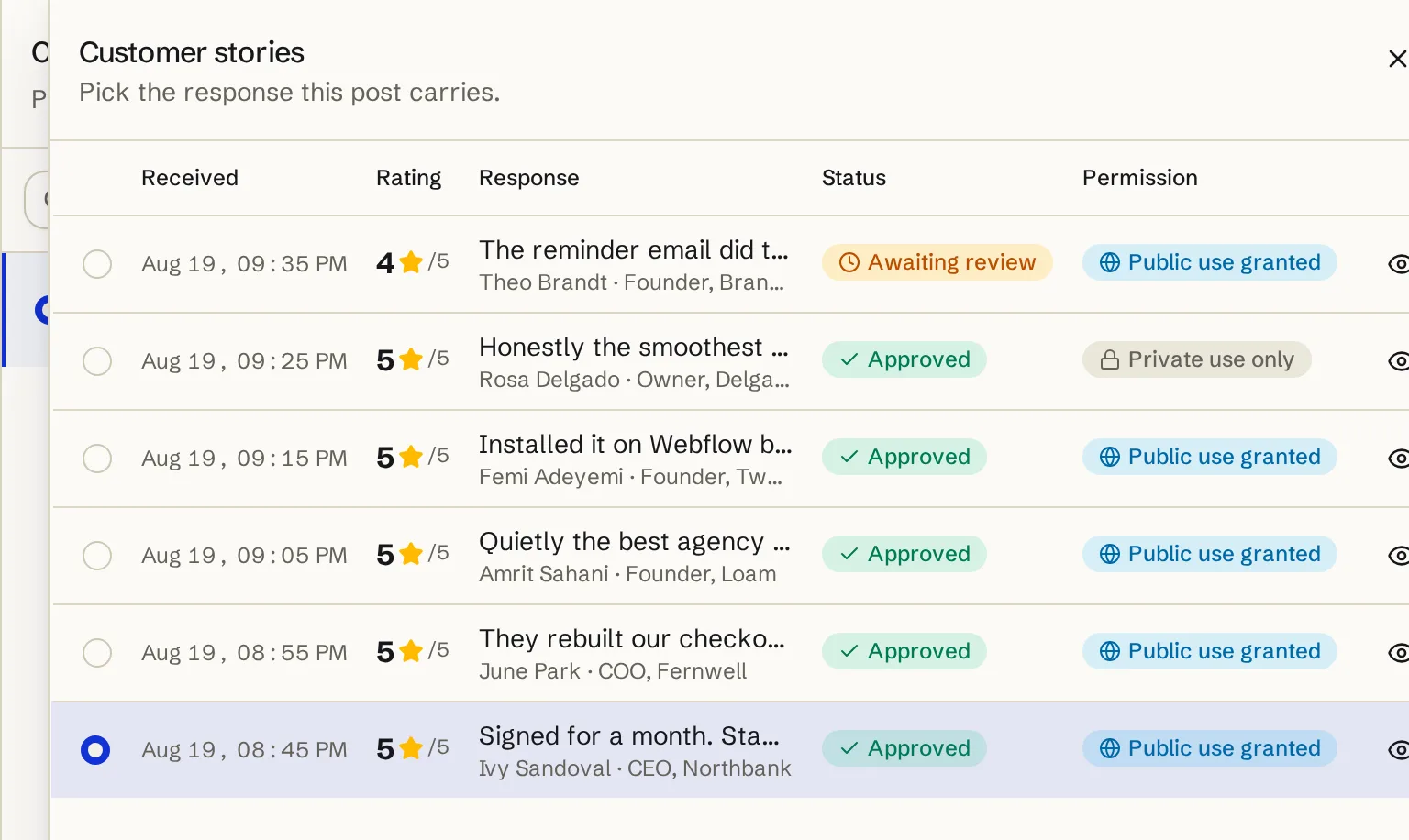
Most testimonials arrive with a warm opening, a specific middle, and a polite ending. The middle is the post. “Our response time had halved and nobody wanted to go back” is a card; the sentences around it are why a card gets skipped. The feed’s word budget is tighter than any slot on your site — the strongest post-size excerpts run somewhere between four and about twenty words, the top of the range only when the layout gives the words room. The full scale, from button to hero, is in how long a testimonial should be.
Trim, don’t rewrite. Cutting the warm opening is fair; tightening someone’s grammar into a claim they did not make is not, and it reads exactly like letting an AI write the testimonial — arrived at one small edit at a time. The excerpt is a window onto the quote, not a replacement for it.
The rest of the quote is not wasted: it goes in the caption, complete, so the card never misquotes and anyone who wants the context has it one line below the picture.
Turn the words into a card
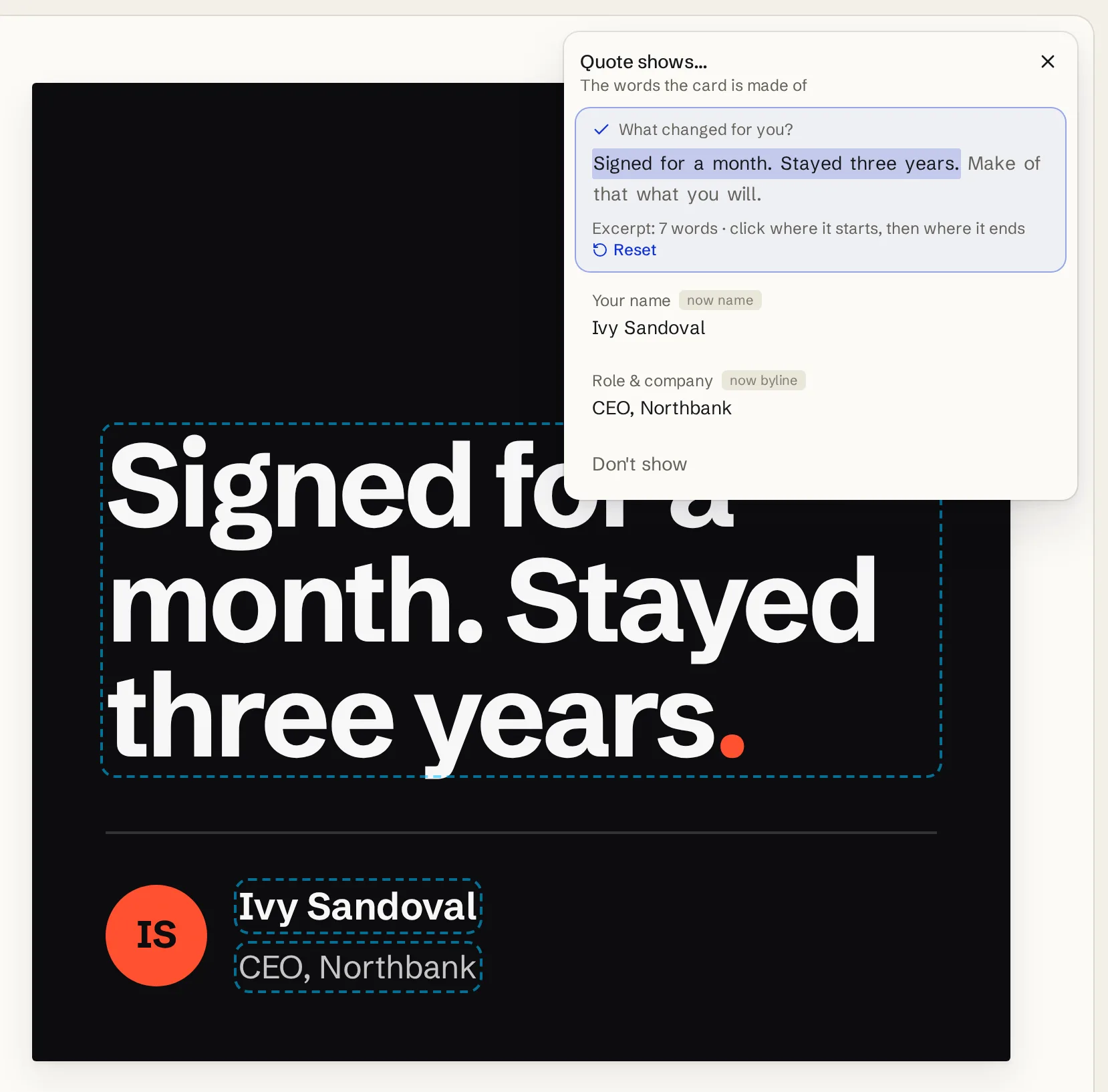
Feeds are image-first. A plain-text quote can work on LinkedIn, but everywhere else the quote needs to be the picture: the words set large, the name and role under them, nothing else competing for the frame.
You do not need a design tool for that. For a one-off, our free testimonial image generator draws a card in your browser from a pasted quote — five looks, four sizes, no watermark, nothing uploaded. It is the fastest path from a quote in an email to a post-ready PNG.
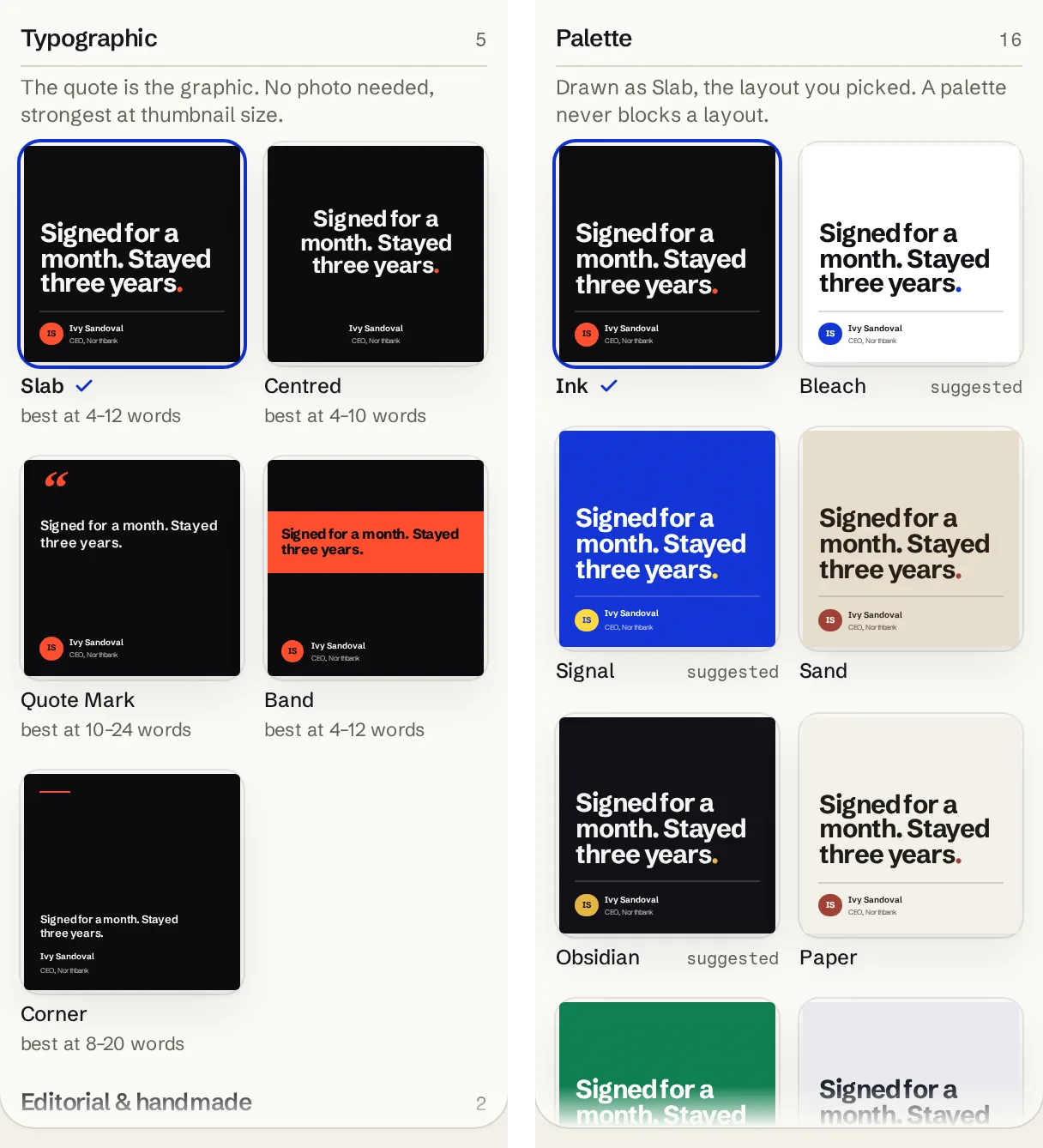
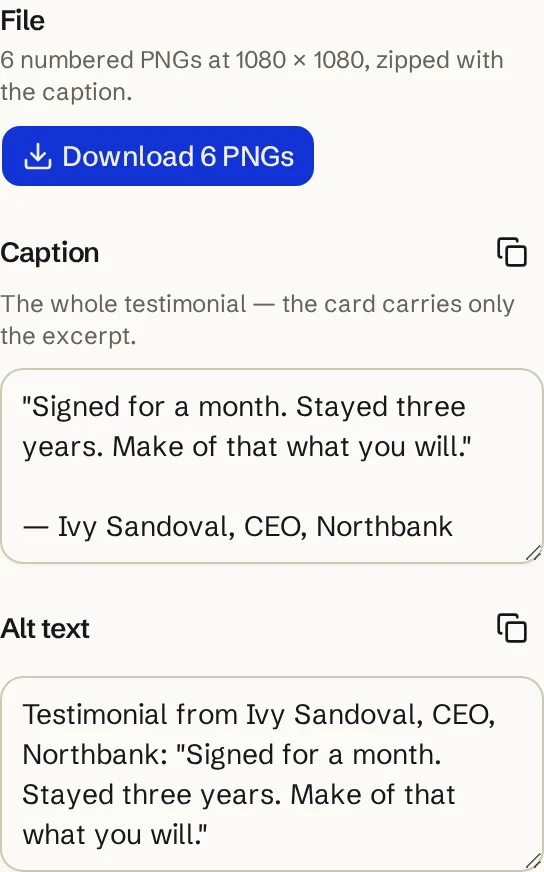
If your testimonials already live in Testymo, the Post Studio in the app works from your collected responses instead of a paste. It offers only what is approved with public permission, the excerpt is cut by clicking words on the card, and the design decision is two picks: a layout, then a palette — each palette tile drawn as the card it would make, so you judge the result rather than a swatch. All twelve layouts and sixteen palettes are shown on the testimonial post templates page. What downloads is a PNG at the platform’s size with the caption and alt text alongside. It does not post or schedule anything; the file is yours to take to the platform.
Match the format to the platform
Four sizes cover the platforms that matter for proof, and choosing is mostly a question of how much screen the post is allowed to take.
| Format | Pixels | Where it goes |
|---|---|---|
| Square | 1080 × 1080 | The safe default: LinkedIn, Instagram, X and Facebook feeds |
| Portrait | 1080 × 1350 | Instagram and LinkedIn feeds, where taller cards get more screen |
| Story | 1080 × 1920 | Instagram and Facebook stories, full screen and short-lived |
| Wide | 1200 × 630 | X and link previews — the same ratio an og:image wants |
Two of these do double duty. The wide card is the link-card ratio, so the card you post on X is also the image a shared page unfurls into. And the story size is the one place a testimonial can be tall: one quote, full screen, gone in a day — a good place for quotes that are strong but too long for a feed card.
Several quotes post better as a set
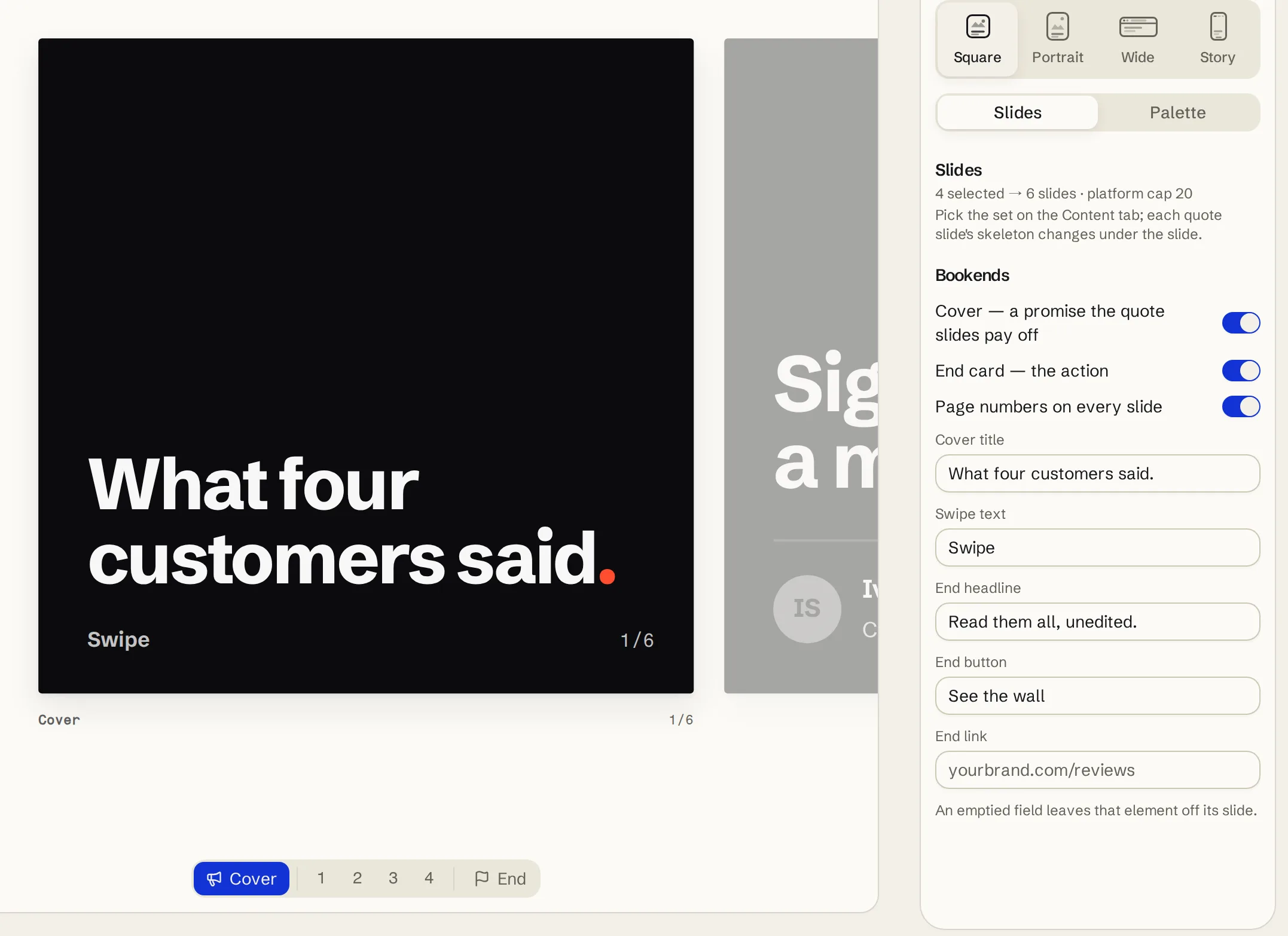
One card is a post; four cards are an argument. A carousel gives each quote its own slide, and the swipe is the reader choosing to continue — which is why the bookends matter more than the middle: a cover that makes one promise (“What four customers said.”), and an end card that says where the full set lives.
Keep a set to one palette. Six slides in six colours read as six posts that got lost; one palette reads as one argument in six parts. Keep the count honest too — four to six quotes is usually the right size. Past that you are proving volume, and volume is a wall’s job on your own site, where nothing is hidden behind a swipe.
The caption and the alt text do the proving
The card carries the excerpt; the caption carries the whole quote, written out with the name and role. That is what lets a reader check the picture against the words, and it is where the attribution lives for anyone reading with images off. A caption that trails into a wall of hashtags undoes the quiet credibility the quote just built — the quote is the content, not the garnish.
Alt text is the other half, and it is not optional. A picture of words is invisible to a screen reader and to every search engine until you describe it, so the alt text should carry the full quote and the attribution — effectively the caption again, in the field built for it. If you tag the customer or their company, ask once, ideally as part of the original permission; a tag also hands them the easiest possible reshare, which is often the largest audience the post ever reaches.
One last connection worth making: the feed post is the travelling copy of a quote whose home is your website. The same approved sentence should be earning on both — where to put testimonials on your website covers the home side, slot by slot.
Frequently asked questions
Can I post a customer’s testimonial on social media without asking?
No. Publishing someone’s words with their name on them needs their permission wherever it happens, and a yes given for your website does not automatically cover a feed. Ask once, at collection time, with social named in the ask — a public-or-private choice on the form itself settles it for every future post.
Should I tag the customer in the post?
Only if they are comfortable with it, which is worth one extra sentence in the permission ask. Some customers are glad to have their words published but do not want the notifications that come with a tag. When they are happy to be tagged, do it: a tag lets them reshare, and their network is usually a bigger audience for their words than yours is.
Can I shorten a testimonial before posting it?
Trim, yes; rewrite, no. Cutting a warm opening or picking the one sentence with the result in it keeps the customer’s meaning. Fixing their phrasing into something punchier puts words in their mouth, and a feed full of suspiciously polished praise reads as invented — even when it is not.
What size should a testimonial image be?
Square at 1080 × 1080 posts acceptably everywhere. Portrait at 1080 × 1350 takes more screen in the Instagram and LinkedIn feeds. Stories want 1080 × 1920, and 1200 × 630 is the wide ratio X previews and link cards use. If you only make one, make the square.
How often should testimonials go in the feed?
When you have a specific one to show, not on a quota. A steady drip — one strong quote a week or every other week — outlasts a launch-day burst of five, and the best ones can return after a quarter; feeds forget faster than websites do. If the queue is empty, the fix is collection, not recycling filler.